

Table of Contents
Whether you’re writing a college essay, a business proposal, a blog post, or an important email, mistakes can hurt your credibility. Even experienced writers occasionally miss grammar errors, awkward wording, or punctuation issues. That’s where Grammarly comes in.
(How to Build a Successful Content Marketing Strategy)
In this Grammarly Premium review, we’ll take an objective look at what the premium version offers, who it’s best for, how it compares to the free plan, and whether it’s worth paying for in 2026.
Rather than relying on marketing claims, this review focuses on Grammarly’s actual capabilities, practical use cases, and limitations so you can decide whether it fits your writing workflow.
If you’re searching for the best grammar checker, a reliable writing assistant, or an AI writing assistant that works across multiple platforms, this guide will help you make an informed decision.
What Is Grammarly Premium?
Grammarly Premium is the paid version of Grammarly’s writing platform. It goes beyond basic spelling and grammar correction by offering advanced writing suggestions, clarity improvements, tone detection, vocabulary enhancements, plagiarism detection (available in certain plans), and AI-powered writing assistance.
Unlike traditional grammar correction tools that only highlight obvious mistakes, Grammarly analyzes your writing in context. It identifies issues that affect readability, sentence structure, word choice, and overall writing quality.
Today, Grammarly works on almost every major platform, including:
- Google Docs
- Microsoft Word
- Gmail
- Microsoft Outlook
- Chrome
- Edge
- Firefox
- Safari
- Windows
- macOS
- Android
- iPhone
- Desktop applications
Because of this broad compatibility, many students, content creators, marketers, and business professionals use Grammarly daily.
Who Should Use Grammarly Premium?
One of Grammarly’s strengths is that it serves many different types of writers.
Students
Students can improve essays, research papers, scholarship applications, and academic assignments by correcting grammar, improving sentence clarity, and maintaining a professional writing style.
Premium suggestions also help eliminate repetitive wording and improve readability.
Bloggers
Bloggers publish large amounts of content.
Grammar mistakes can reduce reader trust and even affect how professional a website appears.
Grammarly Premium helps bloggers:
- Produce cleaner articles
- Improve readability
- Maintain consistent tone
- Reduce editing time
For anyone managing multiple blog posts every week, the time savings alone can justify the subscription.
Content Creators
Whether you’re writing YouTube scripts, social media captions, newsletters, or product descriptions, Grammarly speeds up editing while keeping your writing polished.
The built-in AI writing features can also assist with rewriting sentences, shortening paragraphs, and improving clarity without changing your intended meaning.
Professionals
Business communication often requires precision.
Grammarly Premium can improve:
- Emails
- Reports
- Client proposals
- Presentations
- Internal documentation
Its tone suggestions are particularly useful when communicating with customers or colleagues.
Freelance Writers
Freelancers often work with multiple clients, each having different style expectations. (Microsoft Writing Style Guide)
Grammarly helps maintain consistency while reducing editing time before submitting work.
Grammarly Premium Features
The Premium version offers significantly more functionality than the free plan.
Let’s look at the most valuable features.
Advanced Grammar Checker
Most free grammar tools only identify obvious mistakes.
Grammarly Premium analyzes:
- Grammar
- Punctuation
- Spelling
- Sentence structure
- Word order
- Contextual errors
- Verb agreement
- Passive voice
- Article usage
Instead of simply underlining mistakes, Grammarly explains why something is incorrect, helping users become better writers over time.
Clarity Suggestions
Many writers unintentionally create long or confusing sentences.
For example:
Original
The implementation of the project was completed by our marketing department in a timely manner.
Suggested
Our marketing team completed the project on time.
The second sentence is easier to read while preserving the original meaning.
This type of improvement is one of Grammarly Premium’s biggest strengths.
Vocabulary Enhancements
Repeating the same words can make writing feel repetitive.
Grammarly suggests stronger alternatives when appropriate.
For example:
Instead of repeatedly using:
- Good
- Nice
- Great
- Bad
It may recommend more specific alternatives depending on context.
These suggestions are especially useful for bloggers and content marketers trying to create engaging content.
Tone Detection
One feature that many grammar checkers still struggle with is tone analysis.
Grammarly estimates how your writing may sound to readers.
Examples include:
- Friendly
- Professional
- Formal
- Optimistic
- Confident
- Respectful
Imagine writing an email to your manager.
You intend to sound polite, but the wording comes across as demanding.
Grammarly can flag this before you send the email.
Although tone detection isn’t perfect, it’s often surprisingly accurate.
Full-Sentence Rewrites
Instead of fixing individual words, Grammarly Premium can rewrite entire sentences for improved clarity.
This is particularly helpful when:
- Sentences become too long
- Ideas feel repetitive
- Writing sounds awkward
- Passive voice dominates
The rewritten suggestions are usually concise while preserving your original message.
AI Writing Assistant
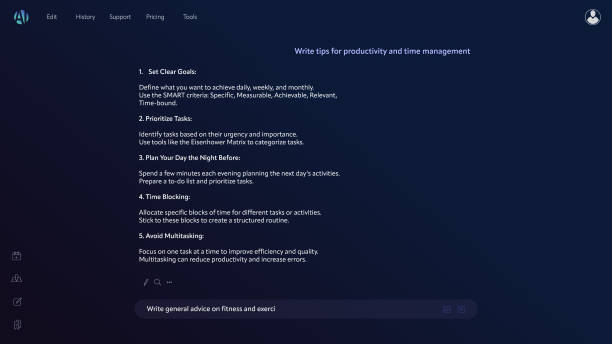
Grammarly has expanded beyond grammar correction into AI-assisted writing.
Its AI features can help with tasks such as:
- Brainstorming ideas
- Drafting emails
- Rewriting paragraphs
- Adjusting tone
- Creating outlines
- Simplifying complex text
Unlike fully automated AI writing tools, Grammarly is primarily designed to improve and refine your existing writing rather than generate complete articles from scratch.
For many users, this makes it a practical companion instead of a replacement for their own writing skills.
Plagiarism Detection
Depending on your subscription, Grammarly also offers plagiarism checking by comparing your text against a large database of web pages and published content.
This feature can be useful for:
- Students
- Academic writers
- Bloggers
- Agencies
- Content marketers
Keep in mind that plagiarism detection is intended as a writing aid. If originality is critical for academic or legal purposes, it’s still wise to review sources carefully and cite them appropriately.
Goals Feature
Before you begin writing, Grammarly allows you to define your goals.
These include:
- Audience
- Formality
- Domain
- Intent
The suggestions Grammarly provides will then better match your selected writing objectives.
For example, an academic paper and a casual blog post require different writing styles. Setting your goals helps Grammarly tailor its recommendations accordingly.
Cross-Platform Support
One of Grammarly’s biggest advantages is its seamless integration across devices.
You can use Grammarly in:
- Web browsers
- Desktop applications
- Microsoft Office
- Google Docs
- Mobile keyboards
- Email platforms
- Messaging applications
This consistency means you don’t need to copy and paste text into a separate editor every time you write.
Performance and Accuracy
During everyday use, Grammarly performs well for general-purpose writing. It catches a wide range of grammar, punctuation, and clarity issues while keeping suggestions easy to understand.
That said, no grammar checker is perfect. Some recommendations—particularly stylistic ones—may not fit every writing situation. It’s still important to review suggestions critically rather than accepting every change automatically.
For most students, bloggers, professionals, and content creators, Grammarly Premium provides a noticeable improvement in writing quality and editing efficiency.
Grammarly Free vs Premium
One of the biggest questions people ask before subscribing is whether Grammarly Premium offers enough value over the free version.
The free plan is excellent for catching basic mistakes, but Premium goes much further by helping you improve the quality, clarity, and effectiveness of your writing.
Here’s a side-by-side comparison.
| Feature | Grammarly Free | Grammarly Premium |
|---|---|---|
| Basic spelling checks | ✅ | ✅ |
| Grammar corrections | ✅ | ✅ |
| Punctuation corrections | ✅ | ✅ |
| Advanced grammar suggestions | ❌ | ✅ |
| Clarity improvements | ❌ | ✅ |
| Tone suggestions | Limited | ✅ |
| Vocabulary enhancement | ❌ | ✅ |
| Full-sentence rewrites | ❌ | ✅ |
| AI writing assistance | Limited | ✅ |
| Plagiarism detection (eligible plans) | ❌ | ✅ |
| Writing goals | Limited | ✅ |
If you only write occasional emails or short social media posts, the free version may be enough.
However, writers who create content regularly are much more likely to benefit from the Premium plan.
Writing Accuracy and Grammar Checking
The core purpose of Grammarly is to improve writing accuracy, and it generally performs well in this area.
Rather than simply pointing out grammar mistakes, Grammarly explains why a sentence could be improved. This educational approach helps users build stronger writing habits over time.
For example:
Before
The company have completed the report and send it yesterday.
Grammarly Suggestion
The company has completed the report and sent it yesterday.
Instead of just correcting the errors, Grammarly explains subject-verb agreement and verb tense, making it easier to avoid similar mistakes in the future.
This makes Grammarly especially valuable for:
- Non-native English speakers
- College students
- New bloggers
- Business professionals
- Freelance writers
AI Writing Assistant Features
Grammarly has evolved beyond being just a grammar checker.
Its AI writing assistant can help streamline many everyday writing tasks.
Examples include:
Rewrite a Paragraph
If a paragraph feels too long or repetitive, Grammarly can suggest a more concise version while keeping the original meaning.
Adjust Tone
Need your email to sound more professional?
Grammarly can revise wording so it comes across as polite, confident, or friendly depending on your goal.
Brainstorm Ideas
When you’re unsure how to start, Grammarly’s AI tools can generate outlines, opening sentences, or alternative wording to help overcome writer’s block.
Improve Readability
Long, complex sentences are often difficult to read.
Grammarly recommends breaking them into shorter, clearer sentences that are easier for readers to follow.
While these AI features are helpful, they work best as editing assistance rather than a replacement for your own expertise or creativity.
Practical Examples
Let’s look at how Grammarly Premium performs in real-world situations.
Example 1: Blog Writing
Original sentence:
Digital marketing is important because it have many different methods which helps businesses grow faster.
Suggested version:
Digital marketing is important because it has many methods that help businesses grow.
The revised sentence is grammatically correct, shorter, and easier to understand.
Example 2: Business Email
Original:
Please send me the report immediately because I need it today.
Suggested:
Could you please send me the report today? I appreciate your help.
The revised version sounds more professional and courteous.
Example 3: Academic Writing
Original:
There are lots of reasons why climate change is bad.
Suggested:
Climate change has significant environmental, economic, and social impacts.
The improved sentence uses more precise and formal language, making it better suited for academic work.
Example 4: Social Media Caption
Original:
We have amazing offers waiting.
Suggested:
Discover today’s exclusive offers before they’re gone.
The revised version is more engaging while remaining concise.
User Experience
Grammarly’s interface is one of its strongest qualities.
Even first-time users can understand the suggestions with minimal effort.
Some highlights include:
- Clean dashboard
- Fast document analysis
- Color-coded writing suggestions
- Easy-to-understand explanations
- Minimal learning curve
Suggestions appear in real time, allowing you to edit while you write instead of waiting until you’ve finished.
Because Grammarly works across browsers, desktop apps, and mobile devices, your writing experience stays consistent wherever you work.
Grammarly Premium Pricing
Grammarly offers several subscription options, with pricing that may vary based on billing frequency, promotions, and regional availability.
Typically, users can choose from:
- Monthly plan
- Quarterly plan
- Annual plan
The annual subscription usually provides the best value if you plan to use Grammarly throughout the year.
Before purchasing, compare the available plans and consider how often you’ll use the tool. Occasional users may find the free version sufficient, while frequent writers often get more value from an annual subscription.
Pros and Cons
Every writing tool has strengths and limitations.
Here’s a balanced overview.
Pros
- Excellent grammar checker
- Accurate spelling and punctuation corrections
- Helpful clarity suggestions
- Easy-to-use interface
- Works across many platforms
- AI writing assistant improves productivity
- Tone detection is useful for professional communication
- Regular feature updates
- Suitable for beginners and experienced writers alike
Cons
- Premium subscription may be expensive for occasional users
- Some stylistic suggestions are subjective
- AI features shouldn’t replace careful human editing
- Advanced features require a paid plan
- Internet connection is needed for many cloud-based features
Is Grammarly Premium Worth It?
The answer depends on how frequently you write.
Grammarly Premium is worth considering if you:
- Publish blog posts regularly
- Write professional emails every day
- Create marketing content
- Produce academic papers
- Work as a freelance writer
- Manage business documentation
- Want to improve your overall writing skills
On the other hand, if you only write short emails or occasional messages, the free version may meet your needs.
The Premium plan offers the greatest value to users who write often and want to save time while producing polished, professional content.
Grammarly Alternatives
Although Grammarly is one of the most popular writing assistants, it’s not the only option available.
Here are several alternatives worth considering.
| Tool | Best For | Strength |
|---|---|---|
| ProWritingAid | Long-form writers | In-depth writing reports |
| LanguageTool | Multilingual users | Supports many languages |
| Hemingway Editor | Readability | Simplicity and sentence clarity |
| QuillBot | Rewriting | Paraphrasing and summarizing |
| Microsoft Editor | Microsoft 365 users | Built-in Office integration |
Each tool has different strengths, so the best choice depends on your workflow and writing goals.
Who Should Upgrade?
Grammarly Premium is a strong fit for:
- Students writing essays and research papers
- Bloggers publishing content frequently
- Copywriters creating marketing materials
- Freelance writers working with clients
- Business professionals handling daily communication
- Content creators producing scripts, newsletters, and social posts
- Non-native English speakers seeking extra writing support
If writing is a regular part of your work or studies, the time saved through faster editing and clearer communication can make the subscription worthwhile. (OWL)
Frequently Asked Questions (FAQs)
1. Is Grammarly Premium worth it?
If you write frequently for work, school, or content creation, Grammarly Premium is a worthwhile investment. Its advanced grammar suggestions, clarity improvements, tone adjustments, and AI writing features can save time and improve the quality of your writing. Casual users who only write occasional emails or messages may find the free version sufficient.
2. What is the difference between Grammarly Free and Premium?
The free version focuses on basic spelling, grammar, and punctuation corrections. Grammarly Premium adds advanced grammar suggestions, clarity improvements, vocabulary enhancements, tone detection, full-sentence rewrites, AI writing assistance, and additional writing insights. These extra tools make Premium better suited for professional and long-form writing.
3. Does Grammarly Premium detect plagiarism?
Yes. Grammarly offers plagiarism detection with eligible paid plans. It compares your text against billions of web pages and published sources to identify potential matches. It should be used as a writing aid and not as a substitute for proper citation practices.
4. Can Grammarly Premium improve academic writing?
Yes. Grammarly Premium helps improve grammar, sentence structure, clarity, and word choice, making it useful for essays, research papers, scholarship applications, and reports. However, you should always review its suggestions and ensure they match your instructor’s style requirements.
5. Is Grammarly Premium better than other grammar checkers?
Grammarly Premium is one of the most comprehensive writing assistants available, especially for English writing. However, tools like ProWritingAid, LanguageTool, and Hemingway Editor each have strengths in areas such as readability, multilingual support, or detailed writing reports. The best choice depends on your specific needs and workflow.
Final Verdict
After evaluating its features, usability, and overall value, Grammarly Premium remains one of the strongest writing assistants available in 2026.
Its biggest strength isn’t simply correcting grammar—it’s helping users communicate more clearly and confidently. The combination of advanced grammar checking, tone suggestions, clarity improvements, and AI-powered writing assistance makes it suitable for a wide range of users, from students and bloggers to professionals and content creators.
That said, Grammarly Premium isn’t essential for everyone. If you only write occasionally, the free plan covers many basic writing needs. The Premium subscription offers the greatest value to people who write regularly and want to reduce editing time while producing polished, professional content.
Rather than accepting every suggestion automatically, treat Grammarly as a smart editing partner. Reviewing its recommendations thoughtfully will help you maintain your own writing style while benefiting from its guidance.
Overall, if you’re looking for a dependable grammar checker, a capable writing assistant, and an AI writing assistant that integrates seamlessly across multiple platforms, Grammarly Premium is a strong option worth considering.
Overall Rating: 4.8/5
| Category | Rating |
|---|---|
| Ease of Use | ⭐⭐⭐⭐⭐ |
| Grammar Accuracy | ⭐⭐⭐⭐⭐ |
| AI Features | ⭐⭐⭐⭐☆ |
| Value for Money | ⭐⭐⭐⭐☆ |
| Platform Compatibility | ⭐⭐⭐⭐⭐ |
| Overall Score | 4.8/5 |
Conclusion
Choosing the right writing tool depends on your goals, but Grammarly Premium consistently delivers value for users who write frequently. Its advanced editing suggestions go beyond fixing simple grammar mistakes by improving clarity, tone, and readability.
Whether you’re preparing academic papers, publishing blog posts, writing client proposals, or creating marketing content, (Email Marketing for Beginners: Step-by-Step Guide) Grammarly helps you produce cleaner and more professional writing with less effort.
While no writing tool is perfect, Grammarly strikes an excellent balance between ease of use and powerful editing features, making it one of the best options available for improving written communication.
Call to Action (CTA)
Ready to improve your writing?
Try Grammarly’s free version to explore its core features, and consider upgrading to Premium if you regularly create important content. The advanced writing suggestions, AI-powered editing, and productivity tools can help you write with greater confidence and efficiency.
If you’re comparing more writing and SEO tools, be sure to explore our other in-depth reviews and guides on MuhsinGuide to find the best solutions for your workflow.
[…] The challenge is no longer finding AI tools—it’s identifying which ones are actually worth your time. Many new releases promise groundbreaking capabilities but offer little real-world value. Others quietly introduce features that can significantly improve the way students, professionals, business owners, and content creators work every day. Grammarly Premium Review: Should You Upgrade? […]