

Table of Contents
Whether you’re a student managing assignments, a freelancer juggling multiple clients, or a professional balancing meetings and deadlines, staying productive is more challenging than ever. Fortunately, Android offers an incredible selection of apps designed to simplify work, organize schedules, and reduce distractions.
The best productivity tools don’t just help you check off tasks—they improve the way you plan your day, collaborate with others, store important information, and maintain focus. With AI-powered features becoming more common in 2026, many Android apps now automate repetitive work, summarize notes, organize projects, and even suggest smarter ways to manage your time. Latest Google Search Updates Every Blogger Must Know
In this guide, we’ll explore the best productivity apps Android users should consider in 2026. Rather than ranking apps based on popularity alone, this article focuses on practical value, ease of use, reliability, and real-world usefulness across different types of users.
Whether you’re looking for a better task manager, note-taking solution, calendar, or collaboration platform, you’ll find an app that fits your workflow.
Why Productivity Apps Matter in 2026
Digital work has become the standard for millions of people. Students attend online classes, freelancers manage international clients, and remote workers collaborate across different time zones. As responsibilities increase, staying organized becomes essential.
The right Android productivity app can help you:
- Organize daily tasks
- Track project deadlines
- Take notes quickly
- Collaborate with teammates
- Reduce missed appointments
- Improve time management
- Store documents securely
- Stay focused throughout the day
Instead of switching between multiple tools that don’t work together, many modern productivity apps integrate calendars, reminders, cloud storage, AI assistance, and team collaboration into one streamlined experience.
best productivity apps Android
How We Chose These Apps
Hundreds of productivity apps are available on the Google Play Store, but not all of them deliver lasting value. For this guide, we considered several important factors.
Ease of Use
A productivity app should simplify your workflow—not create additional complexity. Apps with intuitive interfaces and quick learning curves ranked higher.
Reliability
Frequent crashes, sync failures, or poor performance can quickly become frustrating. We prioritized apps known for stable performance and consistent updates.
Cross-Platform Support
Many people switch between Android phones, tablets, Windows PCs, Macs, and web browsers. Apps that synchronize across multiple devices provide greater flexibility.
Collaboration Features
For professionals and remote teams, sharing tasks, notes, and files is often essential. Apps with strong collaboration capabilities earned higher consideration.
Free Features
While premium subscriptions can unlock additional functionality, the free version should still offer meaningful value for everyday users.
Best Productivity Apps for Android in 2026
1. Notion
Notion has become one of the most versatile productivity platforms available today. Instead of focusing on a single purpose, it combines note-taking, project management, databases, task tracking, calendars, and document collaboration into one workspace.
Students use Notion to organize lecture notes, professionals manage projects, and freelancers track clients, invoices, and content calendars.
Best For
- Students
- Freelancers
- Remote teams
- Project planning
- Content creators
Key Features
- Custom workspaces
- AI writing assistance
- Task management
- Templates
- Wiki creation
- Database organization
- Cross-device syncing
Pros
- Extremely flexible
- Excellent collaboration tools
- Large template library
- Powerful organization options
Cons
- Learning curve for beginners
- Some advanced AI features require a paid plan
2. Todoist
Todoist remains one of the best task management apps available for Android. Its clean interface makes it easy to create tasks, assign due dates, set recurring reminders, and organize projects using labels and priorities.
Unlike overly complicated project management tools, Todoist keeps everything simple while still offering advanced features for power users.
Best For
- Daily task planning
- Personal productivity
- Small business owners
- Students
Key Features
- Task priorities
- Natural language scheduling
- Recurring reminders
- Shared projects
- Productivity tracking
- Calendar integration
Pros
- Very easy to use
- Excellent mobile experience
- Reliable reminders
- Fast synchronization
Cons
- Some collaboration features require Premium
3. Microsoft OneNote
For users who take extensive notes, Microsoft OneNote continues to be one of the strongest choices.
Instead of storing notes as simple text documents, OneNote organizes information into notebooks, sections, and pages. This makes it ideal for research projects, meeting notes, study materials, and business documentation.
Best For
- Students
- Researchers
- Office professionals
- Meeting documentation
Key Features
- Handwritten notes
- Voice recording
- Image support
- Cloud synchronization
- Rich formatting
- Collaboration
Pros
- Excellent organization
- Completely free for most users
- Strong Microsoft ecosystem integration
Cons
- Interface may feel overwhelming initially
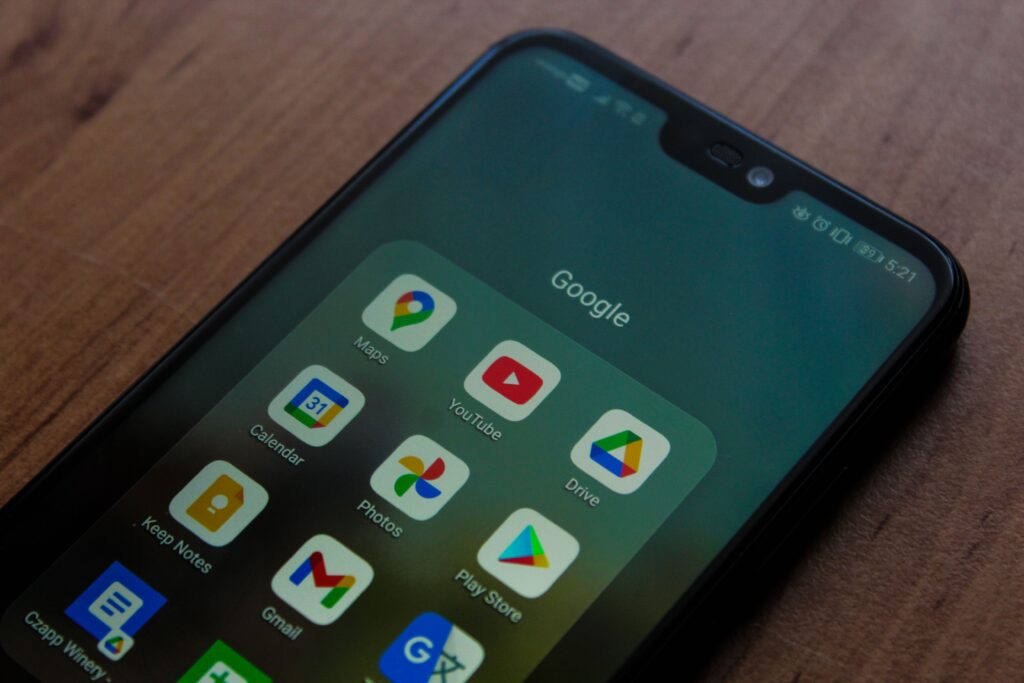
4. Google Keep
If simplicity is your priority, Google Keep is difficult to beat.
Instead of offering dozens of advanced features, Keep focuses on quick note-taking. You can instantly create text notes, checklists, voice memos, and photo notes that synchronize across all your Google devices.
Its speed makes it ideal for capturing ideas before they’re forgotten.
Best For
- Shopping lists
- Quick reminders
- Brainstorming
- Personal organization
Key Features
- Color-coded notes
- Labels
- Voice notes
- Photo notes
- Reminders
- Google account synchronization
Pros
- Completely free
- Extremely lightweight
- Fast synchronization
- Easy to learn
Cons
- Limited formatting options
- Not designed for complex project management
5. Trello
Trello uses a visual Kanban board system that helps users organize projects into lists and cards. Each card can include checklists, due dates, attachments, comments, and labels, making it easy to track progress at a glance.
For teams and freelancers managing multiple projects, Trello offers a simple yet effective workflow that minimizes clutter while keeping everyone aligned.
Best For
- Team collaboration
- Freelancers
- Marketing projects
- Content planning
- Small businesses
Key Features
- Drag-and-drop Kanban boards
- Custom project workflows
- Due dates and reminders
- File attachments
- Team collaboration
- Automation features
Pros
- Easy visual project management
- Great for collaborative work
- Flexible workflow customization
Cons
- Large projects can become crowded
- Advanced automation requires a paid plan
6. TickTick
TickTick is more than a standard to-do list. It combines task management, habit tracking, calendar planning, reminders, and a built-in Pomodoro timer, making it an excellent all-in-one productivity solution.
If you struggle with procrastination or want a structured daily routine, TickTick offers tools that encourage better focus without overwhelming you with unnecessary complexity.
Best For
- Students
- Freelancers
- Busy professionals
- Personal productivity
- Habit building
Key Features
- Smart task lists
- Calendar view
- Habit tracker
- Pomodoro focus timer
- Recurring tasks
- Priority levels
- Cross-device synchronization
Pros
- Combines several productivity tools in one app
- Excellent reminder system
- User-friendly interface
- Great balance between simplicity and features
Cons
- Some advanced features require a Premium subscription
7. Google Calendar
No productivity setup is complete without a reliable calendar, and Google Calendar continues to be one of the best choices for Android users.
Because it integrates seamlessly with Gmail, Google Meet, and other Google Workspace services, appointments, meetings, and reminders automatically stay synchronized across devices.
Best For
- Scheduling meetings
- Students
- Professionals
- Remote workers
- Family planning
Key Features
- Multiple calendars
- Event reminders
- Shared calendars
- Google Meet integration
- Automatic event creation from Gmail
- Color-coded scheduling
Pros
- Completely free
- Excellent synchronization
- Works with nearly every Android device
- Easy sharing with colleagues and family
Cons
- Limited project management capabilities
8. Microsoft To Do
Microsoft To Do is a clean and reliable task management app that integrates well with Microsoft 365. It helps users organize daily responsibilities using customizable lists, reminders, and recurring tasks.
For professionals already using Outlook or Microsoft Teams, it fits naturally into an existing workflow.
Best For
- Office professionals
- Students
- Daily planning
- Microsoft ecosystem users
Key Features
- Smart daily planner (“My Day”)
- Shared task lists
- File attachments
- Outlook integration
- Recurring reminders
- Cloud synchronization
Pros
- Free to use
- Excellent Microsoft integration
- Clean interface
- Simple daily planning
Cons
- Fewer advanced project management features than some competitors
Features to Look for in Productivity Apps
Not every productivity app is built for the same purpose. Before downloading one, consider the features that matter most to your workflow. Grammarly Premium Review: Should You Upgrade?
Cross-Platform Sync
Many users work across phones, tablets, and computers. Apps that synchronize data across devices ensure your information is always available.
Offline Access
Internet access isn’t always reliable. Offline functionality lets you continue working and automatically sync your changes later.
Collaboration Tools
If you work with classmates, coworkers, or clients, look for apps that support shared workspaces, comments, file sharing, and permissions.
Smart Reminders
Good reminders go beyond simple notifications. Modern apps offer recurring schedules, location-based alerts, and priority notifications.
AI Features
Many Android productivity apps now include AI capabilities such as:
- Summarizing notes
- Drafting content
- Organizing projects
- Suggesting schedules
- Improving writing
- Automating repetitive tasks
AI should enhance your workflow—not replace thoughtful planning.
Comparison Table
| App | Best For | Free Version | Cross-Platform | Collaboration | AI Features |
|---|---|---|---|---|---|
| Notion | All-in-one workspace | Yes | Yes | Excellent | Yes |
| Todoist | Task management | Yes | Yes | Good | Limited |
| Microsoft OneNote | Notes | Yes | Yes | Excellent | Limited |
| Google Keep | Quick notes | Yes | Yes | Good | No |
| Trello | Project management | Yes | Yes | Excellent | Limited |
| TickTick | Time management | Yes | Yes | Moderate | Limited |
| Google Calendar | Scheduling | Yes | Yes | Excellent | Smart scheduling |
| Microsoft To Do | Daily planning | Yes | Yes | Good | Limited |
Which Productivity App Is Best for You?
Choosing the right app depends on how you work. Here are some recommendations based on different needs.
For Students
Students often need a combination of note-taking, assignment tracking, and study planning.
Recommended Apps:
- Microsoft OneNote
- Google Keep
- TickTick
- Google Calendar
These apps make it easier to organize lecture notes, remember deadlines, and maintain a consistent study schedule.
For Professionals
Professionals typically manage meetings, projects, emails, and deadlines across multiple devices.
Recommended Apps:
- Notion
- Todoist
- Google Calendar
- Microsoft To Do
Together, these tools provide a well-rounded productivity system for office and remote work.
For Freelancers
Freelancers juggle clients, invoices, proposals, and multiple projects at once.
Recommended Apps:
- Notion
- Trello
- Todoist
- Google Calendar
These apps help organize client work, monitor deadlines, and keep communication structured.
For Remote Workers
Remote work requires effective collaboration and clear organization.
Recommended Apps:
- Notion
- Trello
- Google Calendar
- Microsoft OneNote
These tools simplify team communication, project tracking, and meeting preparation.
Tips for Improving Mobile Productivity
Even the best Android apps can’t replace good habits. To get the most value from these tools:
- Plan your top three priorities every morning.
- Use reminders only for important tasks to avoid notification fatigue.
- Review your task list at the end of each day.
- Keep your home screen organized with only essential apps.
- Schedule focused work sessions using techniques like the Pomodoro Method.
- Archive completed projects to reduce clutter.
- Regularly back up important notes and documents.
Small, consistent improvements often lead to better long-term productivity than constantly switching between new apps.
Pros and Cons of Using Productivity Apps
Pros
- Better organization
- Improved time management
- Easier collaboration
- Reduced missed deadlines
- Increased focus
- Access across multiple devices
- Automation of repetitive tasks
Cons
- Premium features may require subscriptions.
- Learning advanced apps can take time.
- Too many productivity tools can become distracting.
- Frequent notifications may interrupt deep work if not managed properly.
The key is to choose a small set of apps that complement your workflow instead of installing every popular productivity tool available.
Frequently Asked Questions (FAQs)
1. What is the best productivity app for Android in 2026?
There isn’t a single app that’s best for everyone. Notion is an excellent all-in-one workspace for organizing projects and notes, Todoist is ideal for task management, and Google Calendar remains one of the best tools for scheduling. The right choice depends on your workflow and priorities.
2. Are Android productivity apps free?
Most leading Android productivity apps offer free plans with useful features. Premium subscriptions typically unlock advanced capabilities such as AI assistance, larger storage limits, enhanced collaboration, or additional customization.
3. Which productivity app is best for students?
Students often benefit from combining apps based on different needs:
- Microsoft OneNote for lecture notes
- Google Calendar for class schedules
- TickTick for assignments and reminders
- Google Keep for quick notes and checklists
This combination provides an organized system without unnecessary complexity.
4. Can productivity apps improve time management?
Yes. Productivity apps help users prioritize tasks, set reminders, manage deadlines, and visualize schedules. While the apps don’t create more time, they make it easier to use your available time effectively.
5. Is it better to use one productivity app or multiple apps?
For most users, using two or three complementary apps works better than relying on many different tools. For example:
- Google Calendar for scheduling
- Todoist for task management
- OneNote for note-taking
Keeping your workflow simple reduces distractions and makes it easier to stay organized.
Final Thoughts
The Android ecosystem offers an impressive range of productivity tools, making it easier than ever to stay organized in 2026. Whether you’re managing coursework, client projects, business meetings, or personal goals, there’s an app designed to support your workflow.
Instead of downloading every trending app, focus on selecting tools that solve your specific challenges. A well-organized system with just a few reliable apps is often more effective than juggling multiple platforms with overlapping features.
For many users, combining a task manager, a note-taking app, and a calendar creates a balanced productivity setup that can adapt as responsibilities grow.
As Android apps continue to evolve with smarter automation and AI-powered features, the best productivity tools will remain those that save time, reduce friction, and help you focus on meaningful work.
Conclusion
Choosing the best productivity apps Android users can rely on isn’t about finding a single perfect solution—it’s about building a workflow that matches your needs. Students, professionals, freelancers, and remote workers all have different priorities, and the apps highlighted in this guide offer dependable solutions for a variety of tasks. How to Build a Successful Content Marketing Strategy
Start with one or two apps, learn how to use them effectively, and expand your toolkit only when necessary. A thoughtful approach to productivity will help you stay organized and accomplish more without feeling overwhelmed.
Call to Action (CTA)
Looking for more practical Android recommendations and technology guides?
Explore the latest reviews, tutorials, and productivity tips on MuhsinGuide to discover apps and tools that help you work smarter, stay organized, and get more from your Android device.
[…] However, AI should never replace critical thinking or original work. The most effective students use AI as a learning assistant—not as a shortcut. Best Android Apps for Productivity in 2026 […]
[…] As we move through 2026, the future of artificial intelligence is no longer about whether AI will change industries—it is about how quickly those changes will happen and how businesses and individuals can adapt. Best Android Apps for Productivity in 2026 […]