

Table of Contents
Buying every new video game can get expensive, especially if you enjoy trying different titles instead of playing the same few games for months. That is where a service like GameFly can still make sense.
In this GameFly review, we look at how the rental service works, what you get with a GameFly membership, how GameFly pricing compares with buying games individually, and whether the service is worth considering in 2026.
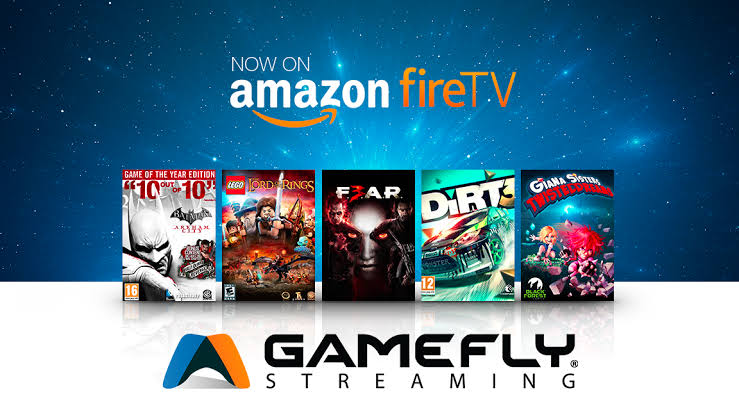
GameFly is built around physical game rentals delivered by mail. Its current website continues to list games for platforms including PS5, PS4, Xbox Series X, Xbox One, Nintendo Switch, and Switch 2, along with movies and other gaming products.
The important question is simple: Does GameFly still provide enough value to justify a monthly subscription?
For gamers who regularly finish games and want to try several titles without purchasing each one, the answer can be yes. (best small business ideas that make money) For occasional players who prefer digital downloads or keep most games permanently, alternatives may offer better value.
What Is GameFly?
GameFly is a subscription-based rental service that lets members rent physical video games through the mail. Instead of purchasing every game you want to play, you select titles from GameFly’s catalog and receive them at home.
One of the biggest differences between GameFly and traditional game purchases is that you can keep a rental until you are ready to return it. ConsumerAffairs reports that GameFly does not charge traditional late fees, although you need to return your current rental before receiving another title when your plan is limited to one rental at a time.
GameFly also allows customers to purchase games and other products through its online marketplace, giving members another option when they find a title they want to keep.
The service is primarily useful for people who still have access to consoles with physical-disc or physical-cartridge support.
How Does GameFly Work?
The basic idea behind GameFly is straightforward:
- Create a GameFly account.
- Choose an available membership plan.
- Browse the GameFly game catalog.
- Add games to your rental queue.
- GameFly ships an available title to you.
- Play the game for as long as you need.
- Return it using the provided return process.
- Your next available game is shipped.
The exact experience depends on your membership tier, game availability, shipping time, and location.
GameFly has also offered features designed to give members earlier access to highly anticipated releases. Its Elite membership structure has historically included benefits such as earlier access to certain new releases and sales, while lower-priced tiers have had more limitations.
Because membership features can change, check the plan details displayed on GameFly before subscribing.
GameFly Pricing and Membership(GameFly Review)
How Much Does GameFly Cost?
GameFly pricing varies depending on the plan, promotions, and membership level. Current third-party listings show different introductory and regular prices, which is why it is better to verify the final amount directly on the official GameFly signup page before completing registration.
Historically, GameFly has offered different rental levels based on the number of games or movies a member can have out at the same time. Higher tiers generally cost more but can provide faster access or additional benefits.
For example, recent consumer information has listed Games + Movies plans with introductory pricing followed by higher regular monthly pricing.
Important: Promotional pricing can change. Don’t rely on an old price from a review or comparison website. Check the current offer shown during registration.
Is There a GameFly Free Trial?
GameFly has historically offered free-trial promotions for new members. Some recent sources describe a 30-day trial, while promotional terms can vary.
If a free trial is displayed when you register, read the terms carefully, especially the date when paid billing begins and the cancellation requirements.
Key GameFly Features and Benefits
1. Physical Game Rentals
The biggest reason to use GameFly is access to physical game rentals without buying every title outright.
This can be useful when you want to play a game once, complete its campaign, and move on to something else.
2. Large Game Selection
GameFly’s catalog covers multiple generations and platforms. Its current site lists PS5, PS4, Xbox Series X, Xbox One, Switch 2, Switch, and additional formats.
The exact availability of individual titles can change, so popular releases may not always be immediately available.
3. No Traditional Late Fees
One advantage frequently associated with GameFly is the absence of traditional late fees. You can keep a rental while you are playing it rather than worrying about a conventional library-style due date.
However, keeping a game longer also means waiting longer before your next rental arrives.
4. Option to Buy Games
If you discover a game that you want to keep, GameFly also sells games through its marketplace. This can be convenient because you can try a title before deciding whether you want to own it.
5. Multiple Membership Levels
Different membership options allow GameFly to serve different gaming habits.
A casual gamer may prefer a lower-cost plan, while someone who regularly finishes games may benefit more from a plan that allows multiple rentals.
6. Physical Media Experience
For gamers who prefer discs and physical collections, GameFly provides something digital subscription services cannot fully replicate: the experience of receiving an actual physical game.
How to Sign Up for GameFly
Signing up is relatively simple.
Step 1: Visit GameFly
Go to the official GameFly website and review the current membership offers.
Step 2: Choose Your Membership
Compare the available plans based on the number of rentals, included features, and monthly cost.
Step 3: Create Your Account
Enter the required account and payment information.
Step 4: Build Your Rental Queue
Search for the games you want and add them to your queue. Put your highest-priority games near the top.
Step 5: Wait for Delivery
GameFly ships an available title to you. Shipping and availability can affect how quickly you receive a particular game.
Step 6: Return the Game
When you finish playing, follow GameFly’s return instructions so the next rental can be processed.
Tip: Before subscribing, check the current terms, shipping details, trial conditions, and cancellation policy directly on GameFly.
Who Is GameFly Best For?
GameFly makes the most sense for certain types of gamers.
Gamers Who Finish Games Quickly
If you regularly complete games and immediately want something new, renting can reduce the number of full-price purchases you make.
Budget-Conscious Console Gamers
A rental subscription can be attractive if you want access to several games without purchasing every title.
Physical Game Fans
GameFly is particularly relevant if you own a console that supports physical games and prefer discs or cartridges.
Gamers Who Like Trying New Titles
If you are unsure whether a game deserves your money, renting it first can reduce the risk of buying something you won’t enjoy.
GameFly may be less attractive for gamers who mainly play free-to-play games, multiplayer titles they return to constantly, or digital-only releases.
GameFly Pros and Cons
Pros
- Access to a large physical game catalog
- Supports several major console platforms
- Lets you try games without buying them outright
- No traditional late fees
- Option to purchase selected games
- Multiple membership levels
- Useful for gamers who finish games frequently
Cons
- Physical shipping takes longer than digital downloads
- Popular games may have availability limitations
- Monthly costs add up over time
- Not suitable for digital-only gaming
- Keeping one game for a long time reduces rental turnover
- Pricing and promotions can change
- Availability depends on GameFly’s inventory and your location
GameFly Alternatives
GameFly is not the only way to access games without buying every title individually.
Xbox Game Pass
Xbox Game Pass is primarily a digital subscription ecosystem with access to a rotating catalog of games. It can be a strong alternative for Xbox and PC gamers who prefer downloading games instead of receiving physical copies.
PlayStation Plus
PlayStation Plus offers different subscription tiers and a catalog of digital games, making it more suitable for players who prefer downloading games directly to a PlayStation console.
Nintendo Switch Online
Nintendo Switch Online provides online multiplayer and other benefits, while higher-tier options provide access to selected classic games and additional content. It is not a direct replacement for GameFly’s physical rental model.
Buying Used Games
For gamers who prefer physical ownership, buying used games can sometimes be a better long-term option than maintaining a rental subscription.
The best choice depends on how often you play, whether you want to own your games, and whether you prefer physical or digital media.
Is GameFly Worth It in 2026?
So, is GameFly worth it?
For the right gamer, yes.
If you regularly play through different games and don’t necessarily need to own every title, GameFly can provide useful value. Instead of spending the full purchase price on several games, you can rent them, play them, and return them.
The service is especially interesting for physical-media fans and console gamers who still use PS5, PS4, Xbox, or Nintendo Switch-family systems.
However, GameFly isn’t automatically the cheapest option for everyone.
If you mostly play one or two games for months, a rental subscription may not be worthwhile. Likewise, gamers who prefer instant digital downloads may find services such as Game Pass or PlayStation Plus more convenient.
The smartest approach is to compare your actual gaming habits with the current GameFly monthly price.
If you can realistically play several rented games each month, the subscription may justify its cost. If you only play occasionally, purchasing discounted games individually could be better.
Frequently Asked Questions
1. Is GameFly still available in 2026?
Yes. GameFly continues to operate as a physical game and movie rental service, with its website listing current console platforms including PS5, Xbox Series X, Switch 2, and others.
2. How much does GameFly cost?
GameFly pricing depends on the membership plan and current promotions. Recent sources show different introductory and regular prices, so check the official signup page for the exact current offer before subscribing.
3. Can I keep a GameFly game as long as I want?
GameFly does not use traditional late fees, and members can generally keep a rental while they continue playing it. However, keeping a title longer delays your next rental, especially on plans with limited simultaneous rentals.
4. Does GameFly support PS5 and Xbox Series X?
Yes. GameFly’s current website lists PS5 and Xbox Series X among its supported platforms. It also lists PS4, Xbox One, Switch 2, and Switch.
5. Is GameFly better than buying games?
It depends on your gaming habits. GameFly can be more attractive if you play many different games but don’t need to own them. Buying may be better if you replay games frequently or find good discounts on titles you want to keep.
Final Verdict: Should You Try GameFly?
GameFly remains an interesting option in 2026 for gamers who enjoy physical games and want to play multiple titles without purchasing every one.
Its biggest strengths are the rental model, broad console support, ability to try games before buying, and the convenience of having physical titles delivered to your home. Its biggest weaknesses are shipping time, inventory availability, and the fact that a monthly subscription is not useful for every type of gamer.
Our verdict: GameFly is worth considering if you are a frequent console gamer who regularly plays different games and values physical rentals. If you mainly play digitally or spend months on the same game, a digital subscription or individual purchases may be a better fit.
Before signing up, compare the current GameFly pricing, trial terms, available games, and membership benefits so you know exactly what you are getting.
Ready to Try GameFly?
If GameFly matches your gaming style, check the current membership offers and choose the plan that fits your budget and how frequently you play.
Check the latest GameFly offer and start your membership today.